Send
Nothing sends until every check passes.
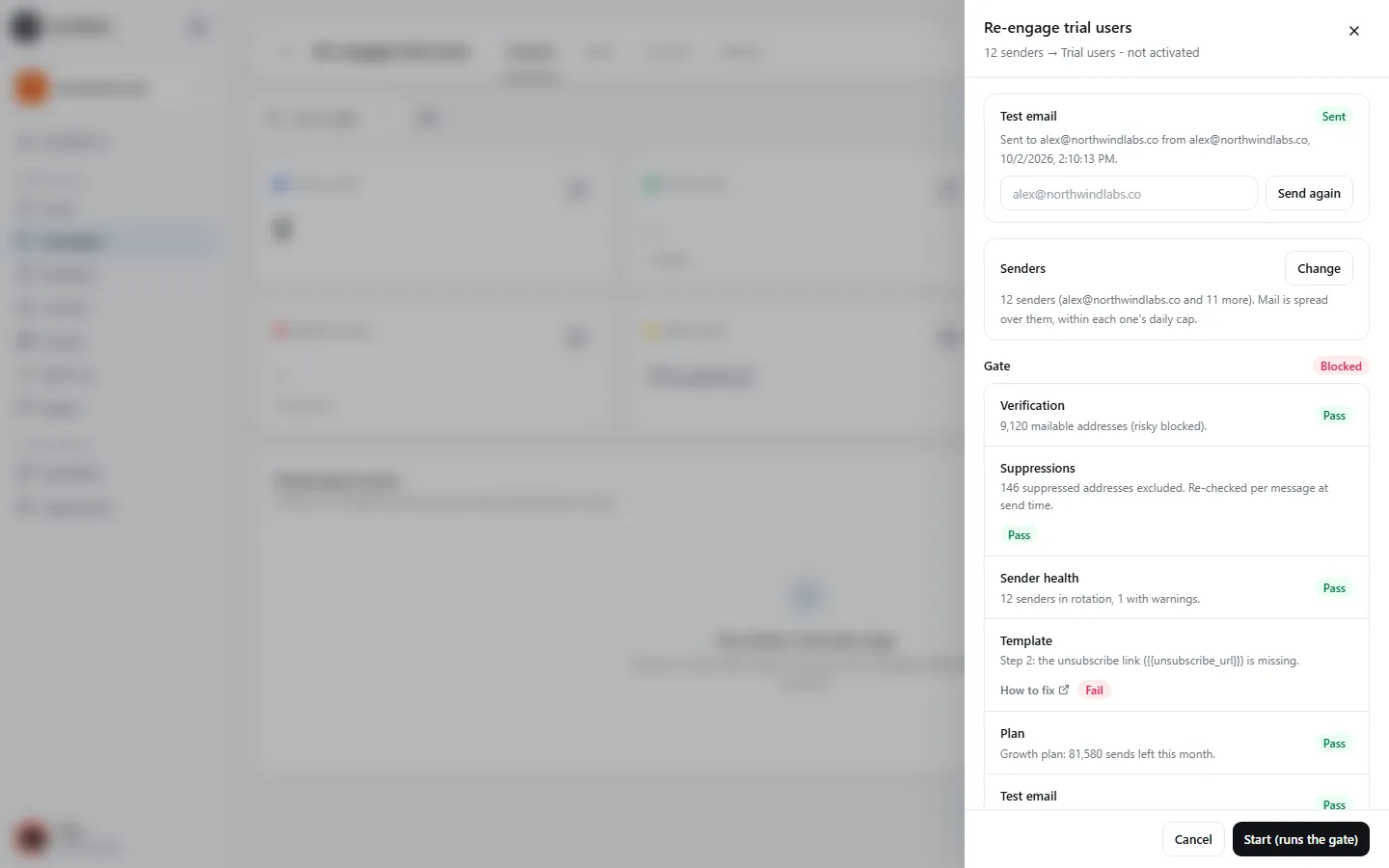
SendPath checks your list, suppressions, mailboxes and the email itself when you launch, and again just before every single email. Nothing in the app can skip it.
Pre-send checks
How it works
- 1
Checked at launch
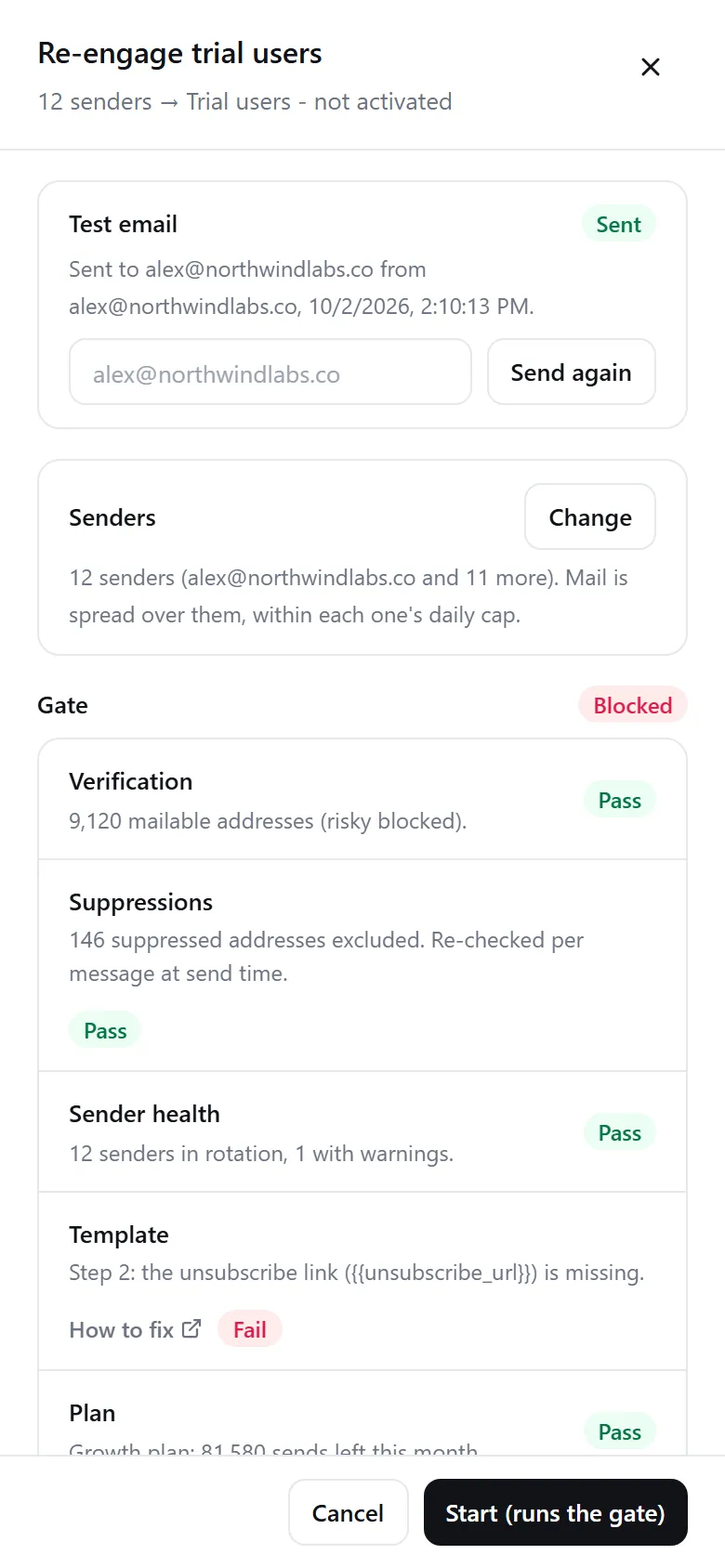
Start runs six checks. If one fails, the campaign is Blocked and the Launch panel lists exactly what to fix.
- 2
Checked again for every email
Just before each email, its address is checked against your suppressions, and its mailbox's health and daily cap are read again.
- 3
Every decision written down
An email that fails at send time is skipped and logged with its reason. Ask SendPath AI “Why is this blocked?” to get every fix in one answer.
In numbers
The six checks
- Verification
- The list is imported and not all invalid. Verifying is recommended, not required.
- Suppressions
- Some addresses aren't suppressed. Each email checks its own address again.
- Sender health
- At least one mailbox isn't Blocked. Blocked ones are skipped.
- Template
- A subject, the unsubscribe link, your postal address, and variables the list can fill.
- Plan
- An active plan with emails left this month.
- Test email
- A test of the campaign's current emails was sent.
FAQ
Questions, answered
Can I turn a check off?+
No. Nothing in the app can skip them. A check can pass with a warning, and warnings never block.
I fixed the problem. What now?+
Click Launch (or Resume) again. The checks run again when you ask.
Can SendPath AI get past the checks?+
No. A change it suggests goes through the same checks as doing it by hand.
Works well with
More of SendPath
Get started today.
Free for 14 days. No card needed.