Send
Sequences that follow up for you.
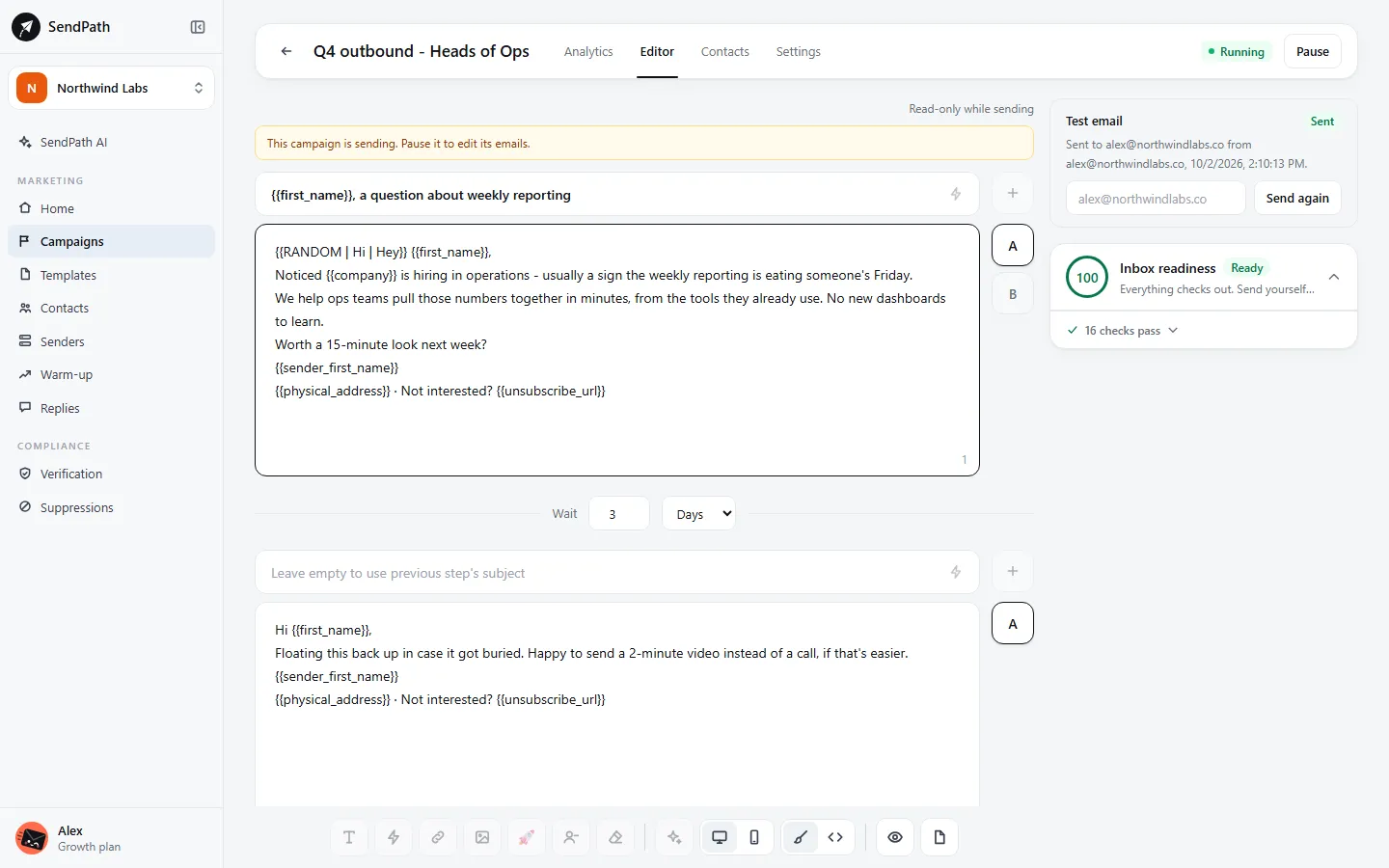
Write a first email and its follow-ups, pick the mailboxes and the list, and SendPath sends inside your schedule. A reply stops the sequence for that person.
Campaigns and sequences
How it works
- 1
Build the sequence
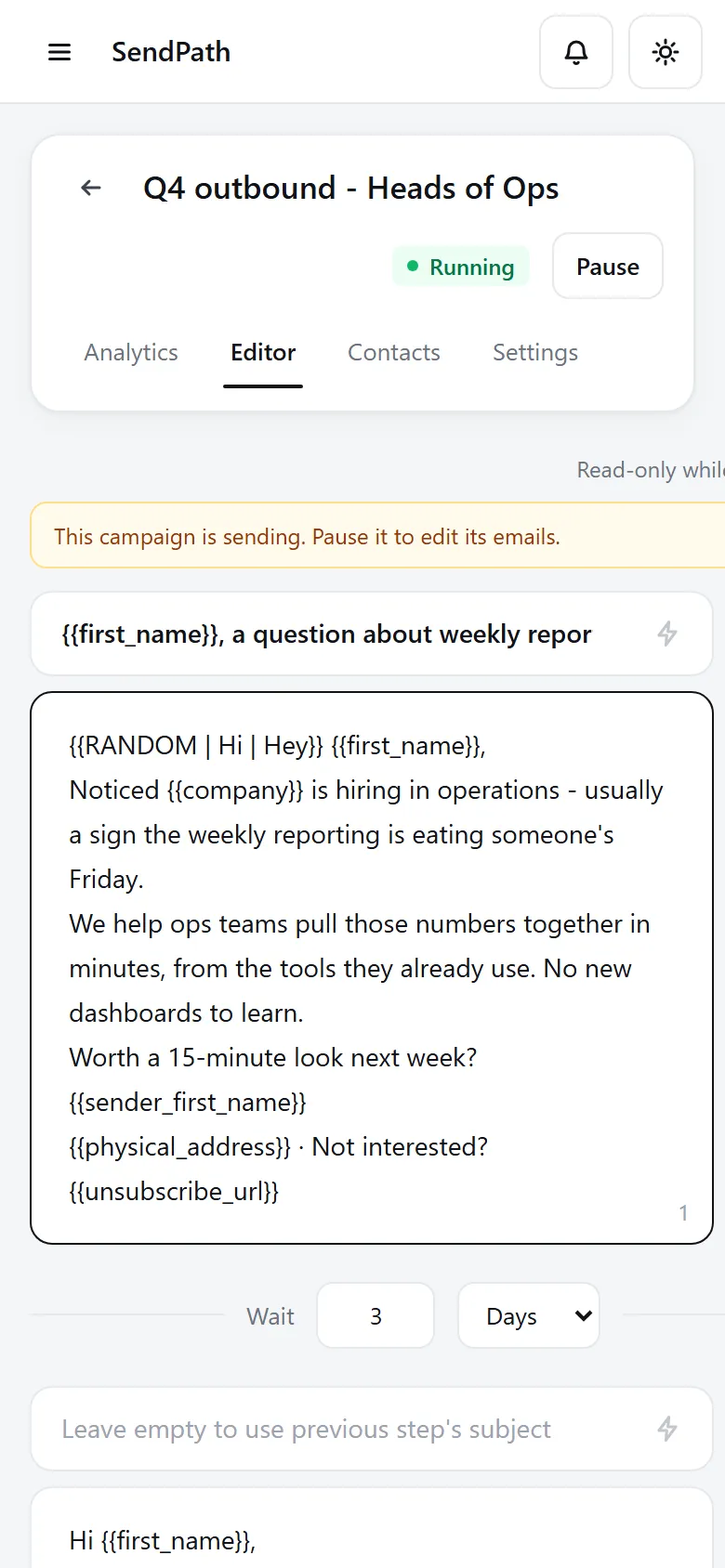
Up to 10 steps. Each follow-up waits the days or hours you set, and one with an empty subject is sent as a reply in the same thread.
- 2
Test what works
Add up to 5 variants of any step. Turn on auto-pick and SendPath sends only the winner once one clearly leads.
- 3
Send inside your schedule
Office hours in your timezone by default. A daily limit, a random gap between emails and a cap on new leads a day keep sending steady.
In numbers
The details
- Steps in a sequence
- Up to 10
- Variants per step
- Up to 5, split evenly
- Auto-pick the winner
- By reply rate, interested replies, opens or clicks, after 100 to 300 sends each
- Default schedule
- Monday to Friday, 9:00 to 17:00, your timezone
- Open and link tracking
- Off until you switch it on, per campaign
- When someone replies
- Their sequence stops
FAQ
Questions, answered
Do follow-ups land in the same thread?+
Yes, when the follow-up's subject is empty. Give it a subject only when you want a new thread.
Can I edit a campaign while it's sending?+
Pause it, edit, then Resume. Resuming runs the pre-send checks again.
Why is tracking off by default?+
Open and link tracking can lower inbox placement for cold email, so you switch them on per campaign only if you want them.
Works well with
More of SendPath
Get started today.
Free for 14 days. No card needed.